Circle crop any image
Circle crop any image right in your browser: drop in a photo, drag the circle over the part you want, and download a round PNG with transparent corners. It is free, needs no sign-up, and your photo is never uploaded. Use it for profile pictures, team headshots and stickers.






Drop your photo here
JPG, PNG, WebP or HEIC. You can also paste one.
Opening your photo…
It all happens on this device.
We couldn't open that file
Choose a JPG, PNG, WebP or HEIC photo instead.
This photo is very large
It has been scaled down so your browser can work with it.
Arrow keys move the circle, Shift moves it further. Plus and minus resize it, R turns the photo, H flips it.
✓Downloaded
or
Cropped right here in your browser. Nothing is uploaded.

How to circle crop an image
- Add your photoDrop it on the page, paste it with Ctrl+V or Cmd+V, or choose a file. JPG, PNG, WebP, GIF and HEIC all open.
- Place the circleIt starts centred, as large as the photo allows. Drag it over the face and pull the corner handle to resize. Arrow keys work too.
- Download itPick a size and a format, then download. PNG and WebP keep the corners transparent, so the circle sits on any background.

What can the circle cropper do?
The few controls a round crop needs, and nothing in your way.
Exactly the size you need. Drag the handle to resize the circle, or type a size in pixels.

Up to4,096 pxacross the circle, the largest size it saves.
Your photo never leaves your device.
Cropping runs in your browser. No upload, no account.
Transparent corners. Or fill them with a colour for JPG.
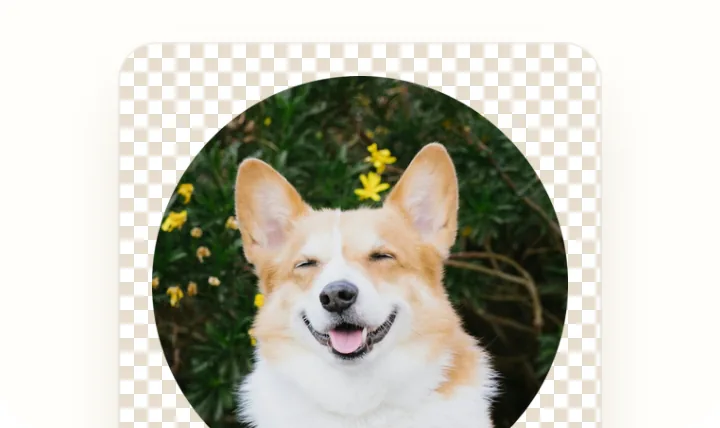
PNG, WebP or JPG. Save in the format the place you post to accepts.

What size should a circle profile picture be?
Start at 400 px, go bigger where a site asks
The Profile picture preset saves a 400 × 400 px square with the circle inside and the corners clear. Slack wants at least 512 × 512 and at most 1,024 × 1,024, so pick Sticker or a custom size there.
- Profile picture
- 400
- Team page
- 600
- Sticker
- 1,024
- Slack minimum
- 512+
Slack sizes from Slack help, checked 21 November 2026.

A team page that lines up
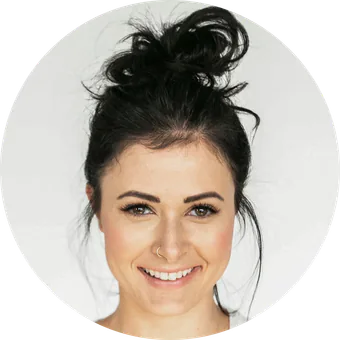
Team page saves every photo at 600 × 600 px and keeps that choice for the next one, so a row of faces comes out the same size.
 DanielDesign
 MayaProduct
 LeoEngineering
How do you make a circle crop look good?
Leave space above the head
Apps show profile pictures as a small dot. A little headroom stops hair and ears from being clipped at the edge.
Put the eyes a third of the way down
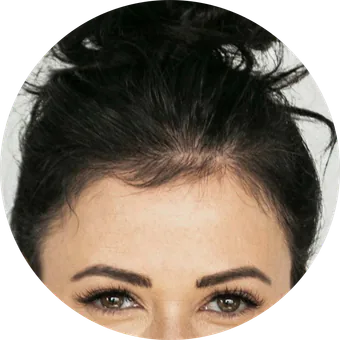
A face looks natural when the eyes sit a little above the middle of the circle, not dead centre.
Start from the biggest photo you have
A circle can only be as sharp as the pixels under it. A larger original keeps it crisp on high resolution screens.
What you won't find here
No sign-up
Open the page and crop. There is no account to make.
No upload
Your photo is opened and cropped on your device, and it stays there.
No watermark
The file you download has nothing added to it.
No upsell
No pop-up after you download and no paid pass to unlock anything.
Questions about circle cropping
Is it free?
Yes. There is no account, no watermark and no limit on how many photos you crop, one after another.
Will the corners be transparent?
Yes, when you save a PNG or WebP. Everything outside the circle is fully transparent. JPG can't store transparency, so its corners take the background colour you pick, or white.
Do you upload my photos?
No. Your browser opens and crops the photo on your own device. The page sends no image data anywhere, and you can watch the network panel in your browser to check.
Can I do several photos?
One at a time. After a download, choose Crop another photo. Your size, format and background stay selected, so each new photo comes out the same way.
What if I need a JPG?
Choose JPG under Format. The corners then fill with the background colour, white unless you pick another one. Use PNG or WebP when the corners need to stay clear.
Using another app?
Short guides for cropping a circle in the app you already work in.